

Social media can feel like a treadmill you can never get off. You post, you scramble to think of what to post next, you post again, and somehow you’re still not sure it’s doing anything for your business.
Here’s what I want to offer you instead: a way to create months of on-brand social content in a single focused sitting, and then get off the treadmill for good.
The tool is Canva’s Bulk Create feature, and once you see how it works, you’re going to wonder why nobody showed you this sooner.
Before we get into the how, I want to talk about the why because Bulk Create only changes your life if you’ve shifted how you think about social media first.
Most spa owners approach social media like they need to come up with something new every single day. Five to seven posts a week, all original, all fresh. That’s an enormous creative burden on top of everything else you’re already carrying, and it’s also completely unnecessary.
Here’s the goal I teach inside Growth Factor®: 60 to 80% of your social media content should be evergreen. That means posts that are just as relevant in three months as they are today.
- Testimonials
- Google reviews
- Your most common client questions
- Education about your top services
- Posts about your membership
- Before and afters
None of those things expire. And once you build a library of 12 solid posts in each of those categories, you have everything you need to keep a consistent presence on social, without starting from scratch every week. You can re-queue those posts every 90 days, and nobody is going to notice.
When you have that foundation in place, you only need to create one to two new pieces of content per week. Imagine what that would feel like.
That’s the system. Bulk Create is the shortcut that builds it.
Here’s the step-by-step process, starting from the beginning.
Step 1: Gather your content.
Let’s use testimonials as the example, because they’re the easiest place to start. Screenshot your Google reviews and drop them into ChatGPT. Ask it to pull the text into a CSV file so you have the actual copy, not images, in a spreadsheet. From there, paste those testimonials into a simple Google Sheet or Excel file. You can include the reviewer’s name in a second column if you want that on the graphic.
If you don’t have 52 testimonials, don’t worry. Even 12 is plenty. You can re-queue 12 posts and rotate them every quarter, your audience won’t see the repeat.
Step 2: Build your template in Canva.
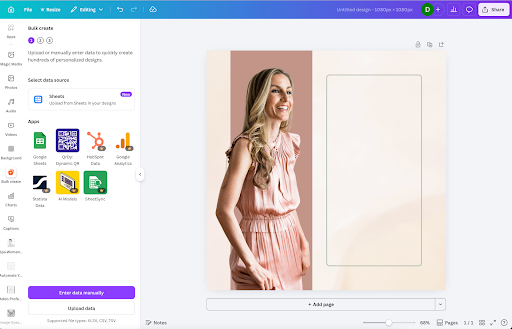
Open Canva and create a new Instagram post. Choose a template you like, or design your own, and set it up exactly how you want your testimonial graphic to look. This becomes your master template. Every post you bulk create will use this same design, so the more on-brand it is, the better. A Canva Pro subscription unlocks the full template library and all the features you need to make Bulk Create work seamlessly, and it’s one of the most cost-effective tools you can have in your marketing stack.
Step 3: Open Bulk Create.
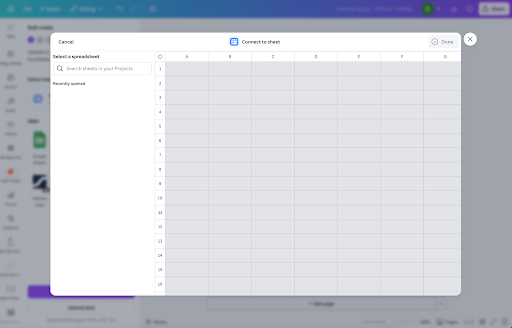
Inside your Canva design, go to Apps and search for Bulk Create. Open it and select Enter Data Manually. Clear the default table, then paste in your spreadsheet content. Your testimonial text in one column, names in another if you’re using them. Click Done.
Step 4: Connect your data to the design.
This is the step that makes the magic happen. Click on the text element in your template where the testimonial copy should appear, and select Connect Data. Choose the corresponding column from your spreadsheet. Do the same for the name field if you have one. Then hit Continue.
Step 5: Generate your designs.
Canva will show you how many designs it’s about to create based on the rows in your spreadsheet. Click Create, then View Designs, and just like that, every testimonial becomes its own finished graphic, on-brand, ready to download and schedule. I’ve literally created 100 posts in about three minutes this way.
Creating the graphics is step one. The step that actually removes the burden long-term is getting them into a scheduler with a re-queue feature.
We use SocialBee at Addo Aesthetics because it lets you schedule content to automatically re-queue, meaning once it’s in there, it just keeps cycling through without anyone on my team touching it. Every Sunday, an affirmation story goes out on our Instagram. Nobody schedules it. It’s been set up once, and it just runs.
That is what we’re going for. Set it up once, let it run, and free your brain up for the work that actually grows your business.
If you’re not ready to invest in a dedicated scheduler, you can use Facebook Business Suite for free. You’ll just need to manually reschedule those posts again after 12 weeks. But if you want the full automation, look for any scheduler with a re-queue or recycle feature.

Testimonials are the most obvious use case, but this works for any repeatable content category. A few other ways our Growth Factor® members use it:
Membership posts. Write 12 different angles on why your membership is worth it — different pain points, different client profiles, different benefits. Bulk create them all on one template and queue them to rotate throughout the year.
Most common questions. Think about what your clients ask you over and over. Turn each one into a post. These are your evergreen education pieces, and they work just as well in October as they do in April.
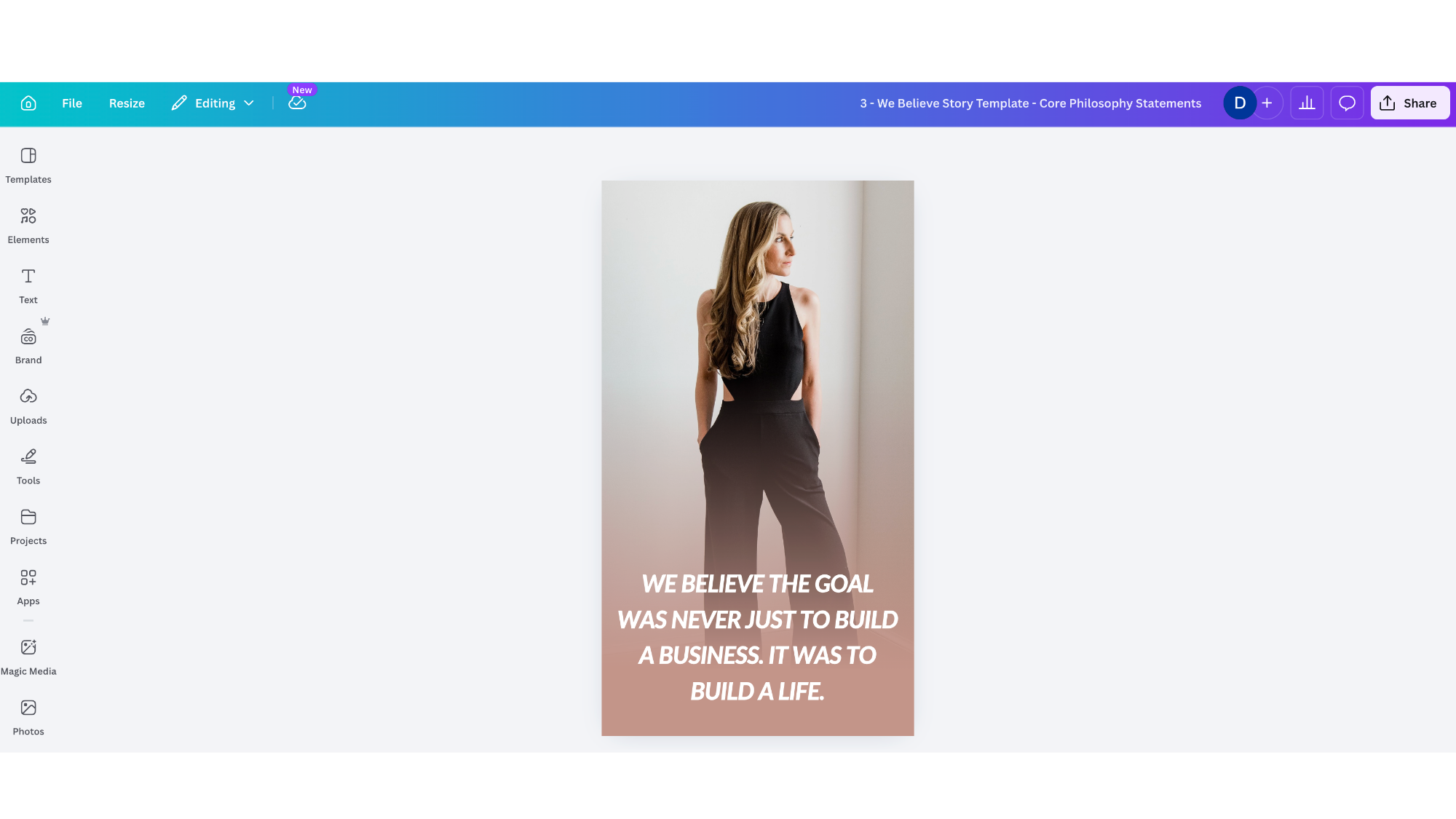
Affirmations or brand belief posts. If you want a consistent brand-building touchpoint every week, this is exactly how to create an entire year’s worth in one sitting.
The goal across all of these is to get the foundational content off your plate so you can spend your limited social media time on the things that actually require your voice — the organic, in-the-moment content that shows what’s really happening inside your spa.
Here’s the thing about social media that most spa owners don’t hear enough: the most polished content is not always the most converting content. What gets people to book is feeling connected — to you, to your philosophy, to the experience you offer. That comes from authentic messaging, not from spending hours on graphics.
Bulk Create gives you a consistent, on-brand presence. Your real-time content gives you the connection. Together, they give you a social media strategy that doesn’t require you to live on your phone.
If you want support building the full marketing system — the content strategy, the messaging clarity, the tools that make it sustainable — that’s exactly the work we do inside Growth Factor®.
The path forward is clearer than you think.

Note: The Canva link shared in this post is our referral link. We recommend Canva Pro to all of our Growth Factor® members because it’s the same tool we use to create content at Addo Aesthetics — and it’s one of the most accessible, time-saving investments a spa owner can make in their marketing.

Subscribe to Our Newsletter
Stay up-to-date with our email newsletter to receive important updates, news, and offers!

About the Author
Daniela Woerner is the founder of Addo Aesthetics and creator of the Growth Factor® Framework, a proven system that’s helped hundreds of spa owners build profitable, systemized businesses. With 20 years in the aesthetics industry, she transforms overworked service providers into confident Spa CEOs through strategy, systems, and soul-led support. Daniela is also the host of Spa Marketing Made Easy, a top-ranked podcast with over 1 million downloads, where she shares real-world strategies to help spa professionals grow with clarity and confidence.